
learnspire Technologies

Professional Certificate in UI UX Design Training

Professionals aiming to transition into or advance in UI/UX Design will gain detailed in-depth knowledge through this advanced certification. Starting with design fundamentals and progressing to user research, wireframing, prototyping, visual design principles, tools like Figma and Adobe XD, usability testing, accessibility standards, and responsive design strategies, you’ll finish industry-ready with practical skills, real-world project experience, and a compelling portfolio.

Name

Professional Certificate in UI UX Design Training

Professionals aiming to transition into or advance in UI/UX Design will gain detailed in-depth knowledge through this advanced certification. Starting with design fundamentals and progressing to user research, wireframing, prototyping, visual design principles, tools like Figma and Adobe XD, usability testing, accessibility standards, and responsive design strategies, you’ll finish industry-ready with practical skills, real-world project experience, and a compelling portfolio

I’m Interested in This Program

Name

Get Industry-Ready with Comprehensive Career Support

Get Industry-Ready with Comprehensive Career Support

Soft Skills

Master effective body language, communication, and presentation techniques essential for becoming a professional

Mock Interviews

Prepare for every interview stage by practicing with multiple rounds of realistic mock interviews

Portfolio Building

Craft an impressive marketing portfolio to showcase your work to potential employers and clients

Resume Building

Build a strong digital marketing CV that highlights your qualifications, experience, and skills to secure the job you want

Interview

Our recruitment experts will help you optimize your job profile to boost your chances of getting more interviews

Soft Skills

Master effective body language, communication, and presentation techniques essential for becoming a professional

Mock Interviews

Prepare for every interview stage by practicing with multiple rounds of realistic mock interviews

Portfolio Building

Craft an impressive marketing portfolio to showcase your work to potential employers and clients

Resume Building

Build a strong digital marketing CV that highlights your qualifications, experience, and skills to secure the job you want

Interview

Our recruitment experts will help you optimize your job profile to boost your chances of getting more interviews
UI UX Design Training Curriculum

UI UX Design Training Curriculum

  • What is UI/UX and why it matters

  • Evolution of UX/UI in product design

  • UI vs UX: Key differences

  • Common myths in design

  • Overview of the design process

  • Design team roles and collaboration

  • Real-world applications of UI/UX

  • Day-to-day life of a designer

  • Career paths in UI/UX

  • What is Design Thinking

  • The 5-stage Design Thinking process

  • Double Diamond model explained

  • Understanding design challenges

  • Defining user problems

  • Ideation techniques

  • Prototype-first mindset

  • Real-world case studies

  • Measuring design impact

  • Presenting solutions effectively

    • Gestalt theory in design

    • Use of white space

    • Balance and hierarchy

    • Emphasis and contrast

    • Typography basics

    • Color psychology

    • Visual consistency

    • Aligning design with content

    • Composition for digital interfaces

    • 11 principles of design

  • Overview of the Figma interface

  • Working with frames and shapes

  • Using vector tools and paths

  • Managing layers and groups

  • Importing images (raster/vector)

  • Boolean operations

  • Shortcuts and productivity tips

  • Saving, sharing, and collaboration

  • Real-world practice exercises

  • Understanding Auto Layout

  • Creating responsive designs

  • Components and variants

  • Building design systems

  • Using Figma libraries

  • Mastering plugins

  • Designing engaging thumbnails

  • Creating marketing posters

  • Cover page design

  • Blending images and text

  • Using mockups effectively

  • Color and font combinations

  • Applying visual branding

  • Exporting final assets

  • What is user research

  • User interview methods

  • UX surveys and questionnaires

  • Field studies and direct observation

  • Stakeholder interviews

  • Conducting secondary research

  • Recording and analyzing data

  • Common research pitfalls

  • Using research tools

  • Writing a UX research report

  • Understanding empathy in design

  • Creating empathy maps

  • Interview synthesis

  • Developing user personas

  • Behavioral segmentation

  • Identifying user goals and pain points

  • Storyboarding experiences

  • Building scenario maps

  • Using personas in design

  • Introduction to ideation

  • Brainstorming methods

  • Mind mapping tools

  • Crazy 8s and sketching

  • SCAMPER method for innovation

  • Affinity mapping

  • Collaborative ideation sessions

  • Prioritizing ideas

  • Evaluating ideas with criteria

  • Turning ideas into concepts

  •  
  • What is wireframing

  • Low vs. mid vs. high fidelity

  • Sketching wireframes on paper

  • Wireframing in Figma

  • Best practices for layout

  • Interactive prototypes

  • Smart animate and transitions

  • What is prototyping

  • Creating interactive prototypes

  • Defining user flows

  • Linking frames with actions

  • Adding transitions and animations

  • Setting up usability tests

  • Creating test tasks and goals

  • Collecting user feedback

  • Analyzing test results

  • Iterating based on feedback

  • Using UI kits and templates

  • Wireframes for web and mobile

  • Including content hierarchy

  • User flow integration

  • Feedback and iteration

  • Material Design vs. Human Interface

  • Microinteractions in UI

  • Atomic Design Principles

  • Introduction to design patterns

  • UI elements (buttons, cards, forms)

  • Consistent spacing and alignment

  • Responsive UI design

  • Layout grid systems

  • Mobile-first design approach

  • Style guides and design tokens

  • What is accessibility in design

  • Types of accessibility challenges

  • Inclusive design principles

  • Introduction to WCAG guidelines

  • Color contrast and text readability

  • Designing for screen readers

  • Keyboard navigation

  • Testing accessibility

  • Building accessibility checklists

  • Tools to audit accessibility

  • Basics of HTML

  • Basics of CSS

  • Basics of JavaScript

  • Understanding development workflow

  • Front-end frameworks overview

  • Creating developer-friendly assets

  • Tools for handoff (Zeplin, Figma Inspect)

  • Communicating with dev teams

  • AI in UX research (e.g., user feedback analysis)

  • Predictive user behavior modeling

  • Automating surveys and forms

  • Using ChatGPT for UX copywriting

  • AI for accessibility enhancements

  • Ethical issues in AI-based design

  • Personalization with AI

  • Collaborating with AI tools

  • What makes a strong case study

  • Selecting a real-world problem

  • Structuring your case study

  • Research, ideation, and execution

  • Wireframes and prototypes

  • Key insights and iterations

  • Visual storytelling techniques

  • Peer and mentor review

  • Types of portfolios (Behance, Dribbble, etc.)

  • Structuring your portfolio website

  • Writing project summaries

  • Showcasing visual work effectively

  • Building your “About Me” section

  • Creating a strong homepage

  • Live portfolio review session

  • Types of design interviews

  • Whiteboard & live challenges

  • Mock interviews & feedback

  • Presentation skills for designers

  • Common interview questions

  • Walkthrough of a design process

  • Presenting the final project

  • What is UI/UX and why it matters

  • Evolution of UX/UI in product design

  • UI vs UX: Key differences

  • Common myths in design

  • Overview of the design process

  • Design team roles and collaboration

  • Real-world applications of UI/UX

  • Day-to-day life of a designer

  • Career paths in UI/UX

  • What is Design Thinking

  • The 5-stage Design Thinking process

  • Double Diamond model explained

  • Understanding design challenges

  • Defining user problems

  • Ideation techniques

  • Prototype-first mindset

  • Real-world case studies

  • Measuring design impact

  • Presenting solutions effectively

  • Gestalt theory in design

  • Use of white space

  • Balance and hierarchy

  • Emphasis and contrast

  • Typography basics

  • Color psychology

  • Visual consistency

  • Aligning design with content

  • Composition for digital interfaces

  • 11 principles of design

  • Overview of the Figma interface

  • Working with frames and shapes

  • Using vector tools and paths

  • Managing layers and groups

  • Importing images (raster/vector)

  • Boolean operations

  • Shortcuts and productivity tips

  • Saving, sharing, and collaboration

  • Real-world practice exercises

  • Understanding Auto Layout

  • Creating responsive designs

  • Components and variants

  • Building design systems

  • Using Figma libraries

  • Mastering plugins

  • Designing engaging thumbnails

  • Creating marketing posters

  • Cover page design

  • Blending images and text

  • Using mockups effectively

  • Color and font combinations

  • Applying visual branding

  • Exporting final assets

  • What is user research

  • User interview methods

  • UX surveys and questionnaires

  • Field studies and direct observation

  • Stakeholder interviews

  • Conducting secondary research

  • Recording and analyzing data

  • Common research pitfalls

  • Using research tools

  • Writing a UX research report

  • Understanding empathy in design

  • Creating empathy maps

  • Interview synthesis

  • Developing user personas

  • Behavioral segmentation

  • Identifying user goals and pain points

  • Storyboarding experiences

  • Building scenario maps

  • Using personas in design

  • Introduction to ideation

  • Brainstorming methods

  • Mind mapping tools

  • Crazy 8s and sketching

  • SCAMPER method for innovation

  • Affinity mapping

  • Collaborative ideation sessions

  • Prioritizing ideas

  • Evaluating ideas with criteria

  • Turning ideas into concepts

  • What is wireframing

  • Low vs. mid vs. high fidelity

  • Sketching wireframes on paper

  • Wireframing in Figma

  • Best practices for layout

  • Interactive prototypes

  • Smart animate and transitions

  • What is prototyping

  • Creating interactive prototypes

  • Defining user flows

  • Linking frames with actions

  • Adding transitions and animations

  • Setting up usability tests

  • Creating test tasks and goals

  • Collecting user feedback

  • Analyzing test results

  • Iterating based on feedback

  • Using UI kits and templates

  • Wireframes for web and mobile

  • Including content hierarchy

  • User flow integration

  • Feedback and iteration

  • Material Design vs. Human Interface

  • Microinteractions in UI

  • Atomic Design Principles

  • Introduction to design patterns

  • UI elements (buttons, cards, forms)

  • Consistent spacing and alignment

  • Responsive UI design

  • Layout grid systems

  • Mobile-first design approach

  • Style guides and design tokens

  • What is accessibility in design

  • Types of accessibility challenges

  • Inclusive design principles

  • Introduction to WCAG guidelines

  • Color contrast and text readability

  • Designing for screen readers

  • Keyboard navigation

  • Testing accessibility

  • Building accessibility checklists

  • Tools to audit accessibility

  • Basics of HTML

  • Basics of CSS

  • Basics of JavaScript

  • Understanding development workflow

  • Front-end frameworks overview

  • Creating developer-friendly assets

  • Tools for handoff (Zeplin, Figma Inspect)

  • Communicating with dev teams

  • AI in UX research (e.g., user feedback analysis)

  • Predictive user behavior modeling

  • Automating surveys and forms

  • Using ChatGPT for UX copywriting

  • AI for accessibility enhancements

  • Ethical issues in AI-based design

  • Personalization with AI

  • Collaborating with AI tools

  • Introduction to Canva Interface

  • Creating Engaging Social Media Graphics

  • Using Templates for Speed & Branding

  • Designing Reels, Stories, Posters & Infographics

  • Brand Kit: Fonts, Colors & Logos

  • Animations and Video Editing Basics

  • Collaboration and Sharing Features

  • Exporting for Instagram, Facebook, LinkedIn & Web

    • What makes a strong case study

    • Selecting a real-world problem

    • Structuring your case study

    • Research, ideation, and execution

    • Wireframes and prototypes

    • Key insights and iterations

    • Visual storytelling techniques

    • Peer and mentor review

    • Types of portfolios (Behance, Dribbble, etc.)

    • Structuring your portfolio website

    • Writing project summaries

    • Showcasing visual work effectively

    • Building your “About Me” section

    • Creating a strong homepage

    • Live portfolio review session

  • Types of design interviews

  • Whiteboard & live challenges

  • Mock interviews & feedback

  • Presentation skills for designers

  • Common interview questions

  • Walkthrough of a design process

  • Presenting the final project

Program Outcomes

Upskill Your Knowledge To Change Your Career Trajectory

Program Outcomes

Upskill Your Knowledge To Change Your Career Trajectory

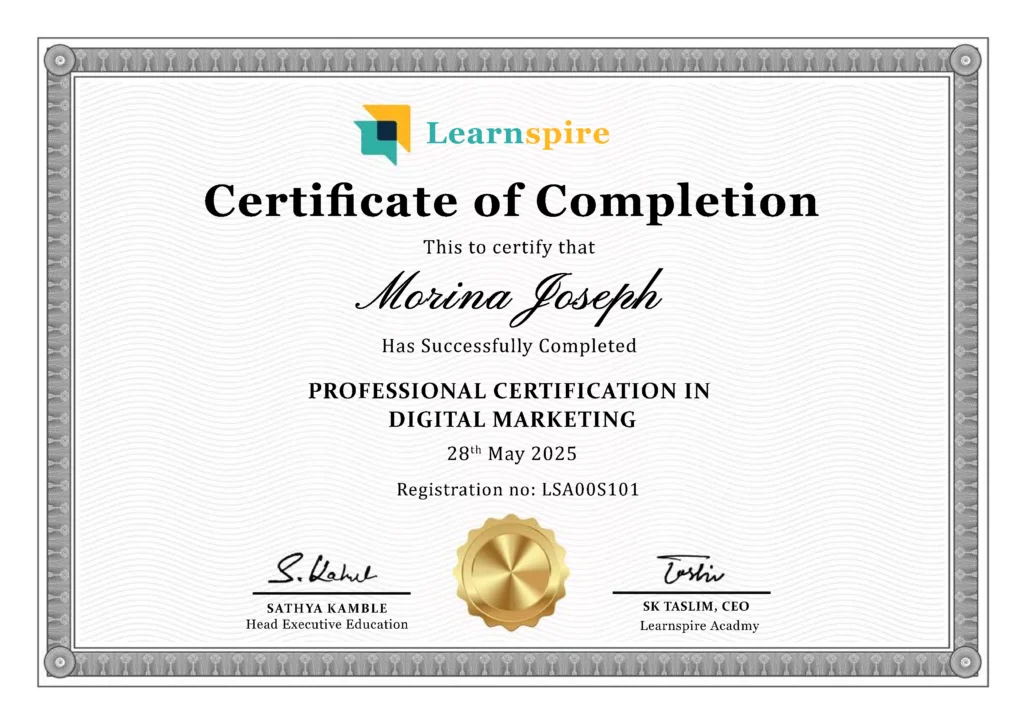
Gain official proof of your expertise from a trusted institution, increasing your value in the eyes of employers and clients.

Stand out in competitive job markets and unlock better job roles, promotions, or freelance opportunities.

Certifications ensure your skills are aligned with current industry standards, making you job-ready from day one.

Completing a certified course strengthens your belief in your capabilities and readiness to tackle real-world challenges.

Join a professional community, gain access to hiring managers, and receive support from placement partners and mentors.

Gain official proof of your expertise from a trusted institution, increasing your value in the eyes of employers and clients.

Stand out in competitive job markets and unlock better job roles, promotions, or freelance opportunities.

Certifications ensure your skills are aligned with current industry standards, making you job-ready from day one.

Completing a certified course strengthens your belief in your capabilities and readiness to tackle real-world challenges.

Join a professional community, gain access to hiring managers, and receive support from placement partners and mentors.

How our program works

Enhance Your Skills to Transform Your Career Path

How our program works

Enhance Your Skills to Transform Your Career Path

Industry-Approved Curriculum

Hands-On Practice

Specialization

Practical Sessions

Mentorship

Industry-Approved Curriculum

Hands-On Practice

Specialization

Practical Sessions

Mentorship

Explore Our Free Courses

Boost Your Tech Skills with Learnspire Academy’s Free Courses

Explore Our Free Courses

Boost Your Tech Skills with Learnspire Academy’s Free Courses

Secure your place at your dream companies

Secure your place at your dream companies

What You'll Learn

Taught by experienced design professionals, this dynamic online course covers essential UI/UX design topics, including design fundamentals, user research, wireframing, prototyping, visual design, usability testing, popular tools like Figma, accessibility, and handoff strategies

UI/UX Design Training Essentials Key Features

I’m Interested in This Program

Name

What You'll Learn

Taught by experienced design professionals, this dynamic online course covers essential UI/UX design topics, including design fundamentals, user research, wireframing, prototyping, visual design, usability testing, popular tools like Figma, accessibility, and handoff strategies

Digital Marketing Essentials Key Features

I’m Interested in This Program

Name

Frequently Asked Questions (FAQs) for UI/UX Design Training

Upskill Your Knowledge To Change Your Career Trajectory

Frequently Asked Questions (FAQs) for UI/UX Design Training

Upskill Your Knowledge To Change Your Career Trajectory

What is UI/UX Design?

UI/UX Design refers to the process of creating user interfaces (UI) and enhancing user experiences (UX) for digital products. It combines visual design, user research, wireframing, prototyping, usability testing, and design thinking to create intuitive and user-centered solutions

No prior design experience is required. This course starts from the basics and builds up to advanced UI/UX concepts, making it ideal for both beginners and professionals looking to enhance their skills

You’ll master Figma, design thinking, user research techniques, wireframing, prototyping, usability testing, accessibility standards, visual design principles, and handoff tools like Zeplin and Figma Inspect

Yes, you’ll work on multiple real-world projects and a capstone case study. These practical experiences will help you build a strong portfolio that reflects your design skills and problem-solving abilities

Absolutely! This program is tailored to make you industry-ready with portfolio development, mock interviews, soft skills training, and guidance to help you succeed in UI/UX design job roles

Yes, upon successful completion, you will receive a professional certificate that showcases your expertise in UI/UX Design and can be added to your resume or LinkedIn profile

UI/UX Design refers to the process of creating user interfaces (UI) and enhancing user experiences (UX) for digital products. It combines visual design, user research, wireframing, prototyping, usability testing, and design thinking to create intuitive and user-centered solutions

No prior design experience is required. This course starts from the basics and builds up to advanced UI/UX concepts, making it ideal for both beginners and professionals looking to enhance their skills

No, coding is not required.
You’ll master Figma, design thinking, user research techniques, wireframing, prototyping, usability testing, accessibility standards, visual design principles, and handoff tools like Zeplin and Figma Inspect

Yes, you’ll work on multiple real-world projects and a capstone case study. These practical experiences will help you build a strong portfolio that reflects your design skills and problem-solving abilities

  • Absolutely! This program is tailored to make you industry-ready with portfolio development, mock interviews, soft skills training, and guidance to help you succeed in UI/UX design job roles

  • Yes, upon successful completion, you will receive a professional certificate that showcases your expertise in UI/UX Design and can be added to your resume or LinkedIn profile

What Our Learners Have To Say About Us

Marina Joseph Digital Marketing

This Digital Marketing training is one of the best I’ve experienced. The sessions are clear, practical, and perfectly blend theory with real-world application. The instructors are supportive and knowledgeable. While it felt challenging at first, consistent practice and guidance have made the concepts much easier to understand and apply confidently


Sanjay Kumar Product Designer

Learnspire Academy is the best place to learn UI/UX design. The lectures are clear and practical, with a great balance of theory and hands-on learning. The faculty is supportive, guiding us to improve every day. Though it was tough at first, regular practice made everything much easier to grasp

Anushri Software Developer

The Software Development course has been a great learning experience. The lectures are clear and practical, with the right mix of theory and hands-on coding. At Learnspire, the faculty is incredibly supportive, guiding us at every step. It was tough initially, but with regular practice, everything started to make sense

Satya MERN Stack Developer

The MERN Stack Developer course has been an amazing journey. The sessions are well-structured, combining theory with hands-on projects. At Learnspire, the instructors are supportive and explain every concept clearly. It felt challenging in the beginning, but with consistent practice and guidance, I’ve gained confidence and real development skills

Marina Joseph Digital Marketing

This Digital Marketing training is one of the best I’ve experienced. The sessions are clear, practical, and perfectly blend theory with real-world application. The instructors are supportive and knowledgeable. While it felt challenging at first, consistent practice and guidance have made the concepts much easier to understand and apply confidently

Sanjay Kumar Product Designer

Learnspire Academy is the best place to learn UI/UX design. The lectures are clear and practical, with a great balance of theory and hands-on learning. The faculty is supportive, guiding us to improve every day. Though it was tough at first, regular practice made everything much easier to grasp

Anushri Software Developer

The Software Development course has been a great learning experience. The lectures are clear and practical, with the right mix of theory and hands-on coding. At Learnspire, the faculty is incredibly supportive, guiding us at every step. It was tough initially, but with regular practice, everything started to make sense

Satya MERN Stack Developer

The MERN Stack Developer course has been an amazing journey. The sessions are well-structured, combining theory with hands-on projects. At Learnspire, the instructors are supportive and explain every concept clearly. It felt challenging in the beginning, but with consistent practice and guidance, I’ve gained confidence and real development skills

Scroll to Top